
Flight computer / altimeter
A recording altimeter measures the flight’s highest point.
What is it?
Whilst an An instrument that estimates altitude. A barometric altimeter senses air pressure. records the rocket’s height and apogee, modern instruments can also provide extra, interesting flight data, such as velocity and acceleration, depending on the model.
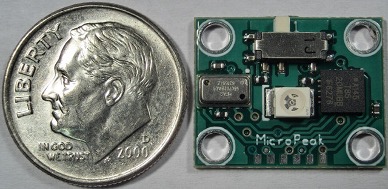
A barometric altimeter estimates height from the fall in air pressure as the rocket climbs, using pressure at launch as its reference. The MicroPeak beside a coin shows how small a recorder can be. Some flight computers also offer deployment control as a separate feature.
Requirements
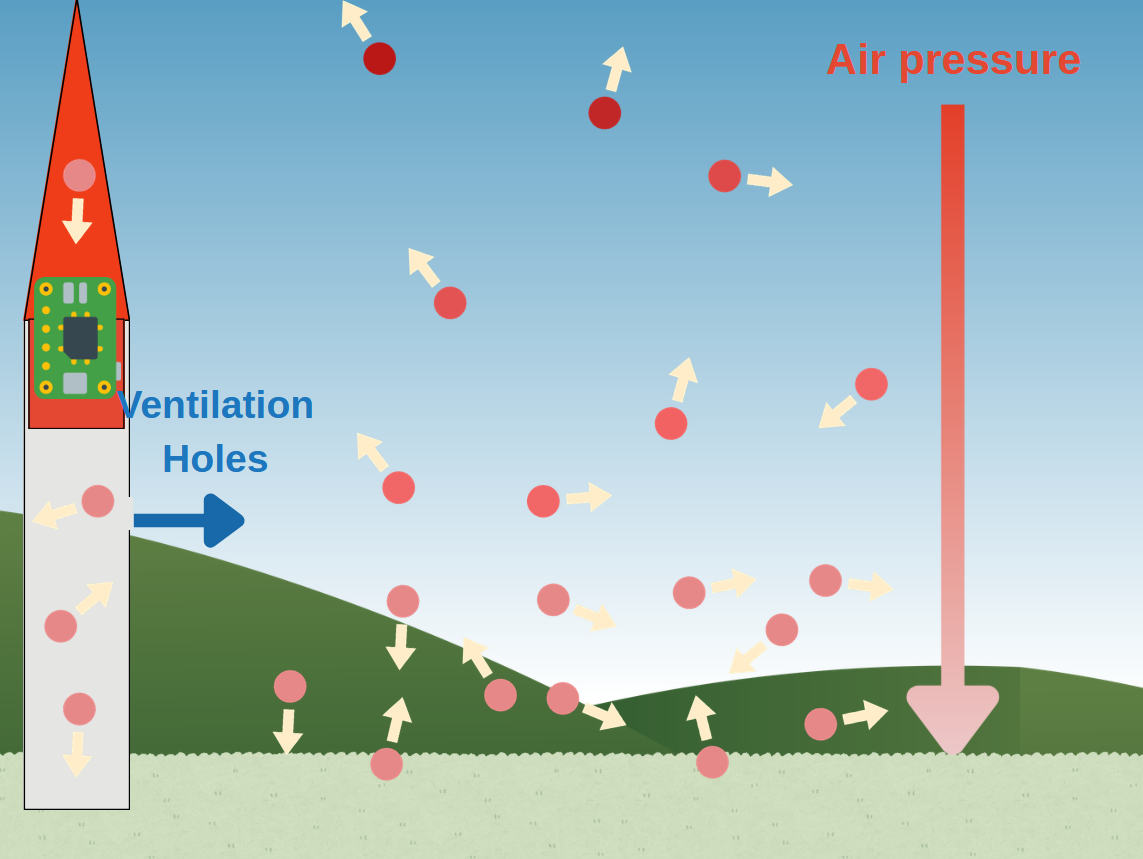
Keep the board and battery secure, with accessible controls and a working readout. Openings that let the pressure inside an electronics compartment follow the outside air pressure. let the sensor compartment follow outside pressure. Their number, size and position come from the instrument’s manual: weather and local airflow affect readings, so a hole anywhere in the cone will not necessarily give a reliable sample.
Common problems
A flat battery or an unpowered instrument records nothing. Blocked or badly positioned vents give misleading pressure readings. A loose board or battery can be damaged and move the rocket’s balance point.
Making it
Small altimeters often have a built-in battery holder, making them easier to attach. Keep the mounting simple: even a few zip ties can hold an altimeter to a bulkhead or a simple mount of your own, whether in the nose cone or body tube.
Use the maker’s attachment points and secure the board and battery without straining components. Leave the pressure sensor, vents, switch and readout clear, and make the instrument easy to remove. Practise powering, resetting and reading it before installation: some instruments blink or beep the peak height, while others let you download a flight log.
Buying it
The PerfectFlite FireFly in Rockets and Things’ electronics range is another small recorder. Compare dimensions, installed mass, battery, readout method and vent requirements. Please make sure you check the current list of approved altimeters before buying.

Try it in OpenRocket
Follow slide 36: add a Mass Component at the altimeter’s actual position. Select Altimeter from the Mass type menu and enter the measured combined mass of the instrument, battery and mount. The mass type makes the component easy to identify in your model. Use your own measured mass for the simulation.
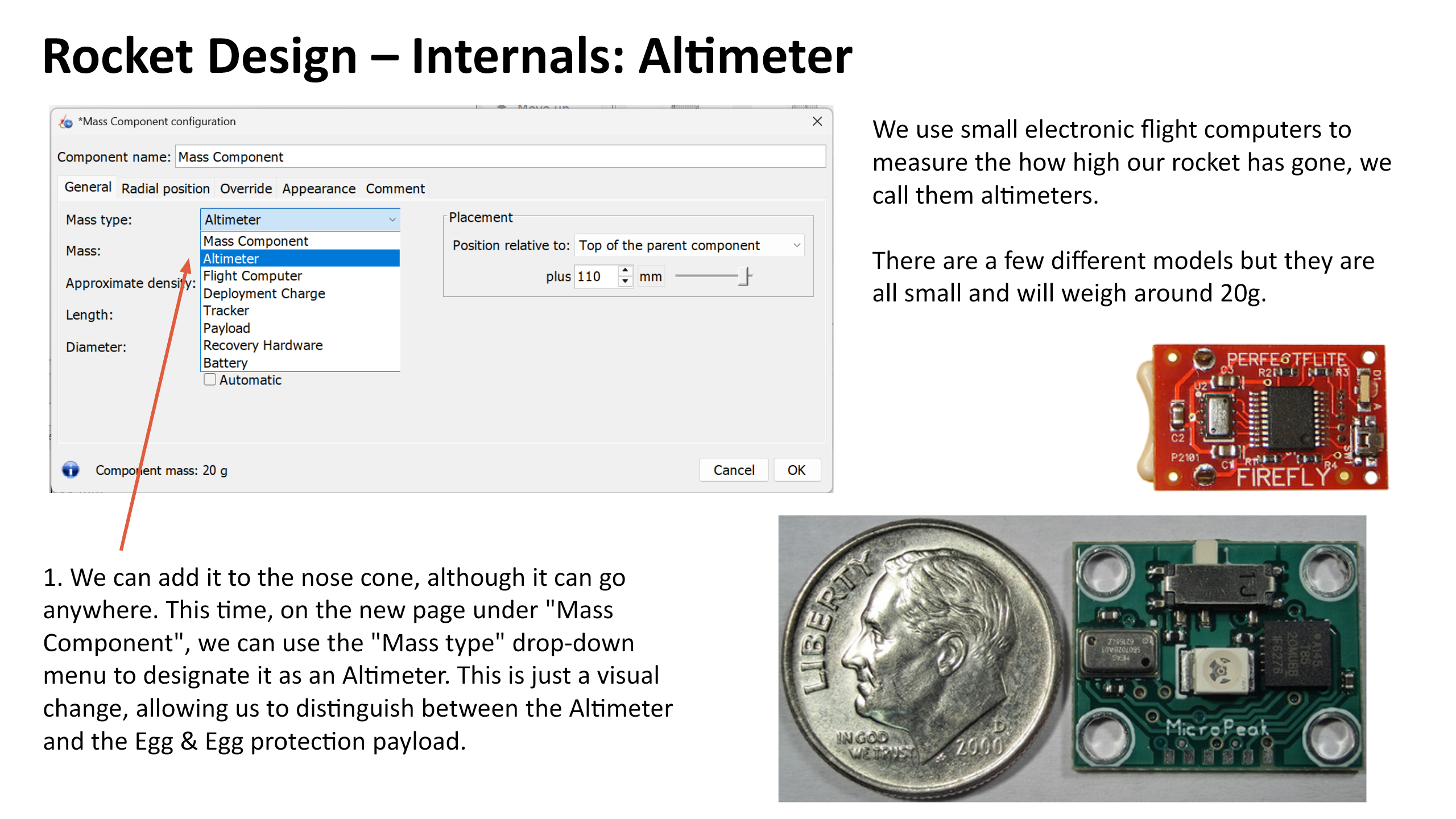
Add a Mass Component to the nose cone, body tube or tube coupler at the position of the installed altimeter. Select Altimeter in the Mass type menu so it is easy to distinguish from the egg and its protection. Use the measured mass of the complete instrument, battery and mount; the slide’s mass is an example.